tldraw vs Excalidraw 2026: Whiteboard, SDK License & Pricing Fit
Compare tldraw vs Excalidraw for 2026: canvas SDK fit, whiteboard workflow, licensing, pricing, collaboration, export, and developer embedding risk.
Whiteboard tool decision
Choosing between Excalidraw and tldraw?
Get a USD 19 buyer-side check on collaboration fit, SDK/licensing risk, export needs, and switching cost before the team standardizes.
Decision Brief
What to do with this research
For tldraw vs Excalidraw, choose tldraw only when the canvas is product infrastructure: embedded editor, custom shapes, app state, persistence, or a visual workflow your engineers will maintain. Choose Excalidraw when the job is shared diagrams, planning sketches, workshops, async docs, and fast team communication. Check official pricing and license terms before standardizing, because the operating cost is not the same as the free editor experience.
Head-to-Head Comparisons changes
Get a practical ToolPick alert when pricing, free-plan limits, policy risk, or alternatives change.
Weekly at most · one-click unsubscribe
For tldraw vs Excalidraw, choose tldraw only when the canvas is product infrastructure: embedded editor, custom shapes, app state, persistence, or a visual workflow your engineers will maintain. Choose Excalidraw when the job is shared diagrams, planning sketches, workshops, async docs, and fast team communication. Check official pricing and license terms before standardizing, because the operating cost is not the same as the free editor experience.
- Excalidraw is the safer default for fast visual communication.
- tldraw is stronger for programmable canvas and product integration.
- Test the same diagram task in both tools before standardizing.
Keep reading for the full analysis.
Where this decision goes next
Skip the scroll: the pages most readers open after this one.
Qdrant vs Weaviate vs Pinecone for Hybrid Search in 2026Read the next related article.Choosing this tool? De-risk the decision first.
Buy the fixed USD 19 kit for one software decision: up to three tools, five buying-risk checks, and a concise next-step email. Vendors can still use the USD 39 visibility diagnostic beside it.
tldraw vs Excalidraw: Pricing, SDK License, and Whiteboard Fit
If you searched for tldraw vs Excalidraw or Excalidraw vs tldraw, the useful answer is direct: choose Excalidraw when the job is a shared sketch, architecture diagram, planning whiteboard, async doc, or workshop artifact. Choose tldraw when the canvas becomes product infrastructure: embedded editor, custom shapes, developer-owned state, persistence, multiplayer sync, or a workflow your engineers will maintain. The pricing question follows that split: tldraw now frames the SDK around production licensing and a 100-day trial, while Excalidraw still separates a free editor from Excalidraw Plus workspace features.
Official check on 2026-05-29: Excalidraw's public surface still emphasizes a free, open drawing experience plus Plus workspace features, while tldraw's pricing and license docs emphasize a 100-day SDK trial, commercial production licensing, hobby licensing, and license keys for production use. That makes this comparison unusually clear: Excalidraw is a communication tool decision; tldraw is a product infrastructure and licensing decision.
Fast answer: choose Excalidraw when the drawing is a communication artifact and choose tldraw when the canvas is product infrastructure. That distinction matters more than the interface, because the cost of Excalidraw is workspace governance while the cost of tldraw is engineering ownership.
Choose tldraw if the main job is to build with the canvas: embedded editors, custom shapes, product-specific workflows, internal visual builders, collaborative product surfaces, and React-based diagramming experiences where engineering control matters.
Choose Excalidraw if the main job is to explain ideas quickly: architecture diagrams, product flows, rough wireframes, meeting notes, interview sketches, async documentation, and collaborative visual thinking. It is easy to open, easy to share, and intentionally informal.
Before comparing UI polish, check the official plan pages and documentation. Excalidraw's public surface emphasizes a free editor plus Excalidraw Plus for cloud workspace features, while tldraw's pricing page leads with a 100-day SDK trial, commercial production licensing, startup pricing, and hobby-license paths. That is why the cheapest option on paper may still be the wrong option for your workflow. If this comparison is part of a broader engineering collaboration stack, pair it with the developer docs tools guide so diagrams, decisions, and documentation do not split across unrelated tools.
tldraw vs Excalidraw Pricing: Read It as Operating Cost
If you searched for tldraw vs Excalidraw, the useful split is product intent, not feature count.
Excalidraw is a communication tool first. It helps a mixed team make the same rough picture quickly, share it, and move the decision into docs or a meeting follow-up. The hand-drawn style is an advantage because it tells readers the diagram is a draft, not a final design artifact.
tldraw is a canvas platform first. It can still work as a whiteboard, but the reason to choose it over Excalidraw is that engineering can own the canvas: custom shapes, embedded editors, app state, persistence, and product-specific interactions.
Pricing should be read through that lens. For Excalidraw, the practical cost is usually workspace governance, sharing, storage, and whether Plus features are needed. For tldraw, the practical cost is engineering time, SDK maintenance, product QA, and the licensing or commercial terms that apply to your use case.
Use this rule before comparing pricing or UI polish:
| Question | Better default |
|---|---|
| Do we need a diagram people can understand in five minutes? | Excalidraw |
| Do we need a canvas feature inside our own product? | tldraw |
| Do non-technical teammates need to edit without setup? | Excalidraw |
| Do developers need custom tools, shapes, or state control? | tldraw |
| Will the output live in docs, Slack, or a planning note? | Excalidraw |
| Will the canvas become part of the application UX? | tldraw |
Decision Table
| Decision point | Excalidraw | tldraw |
|---|---|---|
| Best default use | Fast whiteboard sketches and diagrams | Custom infinite-canvas products and workflows |
| Primary buyer | Founders, PMs, designers, engineers, educators | Product engineers, platform teams, tool builders |
| Setup friction | Very low | Low for basic use, higher for SDK customization |
| Visual style | Hand-drawn, informal, presentation-friendly | Clean infinite-canvas editor, customizable by developers |
| Collaboration fit | Strong for quick sharing and live feedback | Strong when collaboration is part of a custom app |
| Developer control | Useful package and open-source ecosystem | Large editor API, store, custom tools, custom shapes |
| Best risk to test | Will the team keep diagrams organized? | Will engineering maintain the custom canvas surface? |
What Excalidraw Is Best At
Excalidraw is best when the team needs visual communication without a heavy design process. The value is not only that the editor is free and familiar. The value is that the hand-drawn style lowers the pressure around unfinished ideas. Teams can sketch a system, describe a product flow, mark up a meeting point, and share the result before anyone starts polishing.
That makes Excalidraw especially strong for:
- Architecture sketches that need to live inside docs.
- Product flows before Figma-level detail exists.
- Low-fidelity wireframes that should not be mistaken for final design.
- Meeting diagrams where speed matters more than precision.
- Async explanations for engineers, PMs, and support teams.
- Educational diagrams and interview whiteboarding.
The official Excalidraw surface emphasizes simple creation, real-time collaboration links, read-only sharing, libraries, export, a forever-free editor, and Plus features such as cloud workspace, enhanced sharing, presentation tooling, and upgraded generative AI. That is a good fit for teams that want a visual communication layer, not a custom canvas platform.
What tldraw Is Best At
tldraw is best when the canvas needs to be programmable. Its strongest audience is not only people drawing boxes and arrows. It is developers building products where drawing, spatial editing, or interactive diagrams are part of the application.
The official tldraw docs describe the Editor class as the main way to control the editor. The API can create, read, update, and delete shapes, manage selection and history, control the camera, respond to input, work with the reactive store, and batch transactions. That is the important difference: tldraw is not just a place to draw; it is a canvas SDK.
tldraw is especially strong for:
- Embedded whiteboards inside SaaS products.
- Custom diagramming tools.
- Visual builders for internal operations.
- Product-specific shapes and interactions.
- Collaborative editors where the canvas is core UX.
- Developer-controlled persistence, side effects, and integration logic.
If your team only needs quick sketches, that power may be unnecessary. If your product needs an extensible canvas, it can be the reason to choose tldraw.
Use-Case Recommendations
| Use case | Pick | Why |
|---|---|---|
| Quick architecture diagram for a design doc | Excalidraw | Faster to open, share, and understand |
| Product spec with rough wireframes | Excalidraw | The informal style signals "draft" clearly |
| Live workshop with mixed technical and non-technical users | Excalidraw | Low learning curve reduces facilitation cost |
| Building a canvas-based SaaS feature | tldraw | The SDK and editor API matter more than default UI |
| Custom shape library for a workflow | tldraw | Developer control over shapes and behaviors is the advantage |
| Whiteboard embedded in an internal tool | tldraw | Easier to wire the canvas into product state |
| One-off sketch shared in Slack or docs | Excalidraw | Lower operational overhead |
| Long-term visual editor maintained by engineering | tldraw | Better fit for a programmable surface |
Excalidraw vs tldraw Pricing and Operating Cost
Do not reduce this decision to subscription price. Both tools have free or source-available paths, but the real cost is operational:
- Excalidraw cost: keeping files organized, deciding when Plus features matter, managing sharing access, and ensuring diagrams do not become scattered context.
- tldraw cost: SDK license fit, engineering time, custom persistence, permissions, data storage, product QA, and maintenance of custom canvas behavior.
For most small teams, Excalidraw is cheaper in practice because it asks less from engineering. For product teams building a canvas feature, tldraw may be cheaper because it gives the team a stronger base than building an editor from scratch.
The safer buying motion is to verify current official pricing and license terms, then compare that with the internal cost of adoption. A free editor can still be expensive if diagrams become scattered. A programmable SDK can still be economical if it replaces months of custom canvas work, but only if the team is ready to own production licensing, state, data, and QA.
How To Test Both In One Day
Run the same task in both tools before standardizing.
- Create a product flow with five screens, three states, and two error paths.
- Share it with one engineer, one PM, and one non-technical stakeholder.
- Ask each person to add one correction.
- Export or embed the result where your team stores decisions.
- Record the friction: setup, sharing, editing, organization, and follow-up.
If everyone can contribute without explanation, Excalidraw probably wins. If the team immediately asks for custom behavior, product embedding, or structured data from the canvas, tldraw deserves a deeper trial.
Red Flags
Choose neither tool blindly if these are true:
- The team wants a polished design system handoff. Use Figma or a design-specific workflow.
- The diagram must become a regulated system of record. Check audit, retention, and access controls first.
- The workflow depends on private customer data. Validate storage, sharing, and deletion behavior.
- The team cannot name where diagrams should live after meetings.
- Developers want tldraw customization but there is no owner for long-term maintenance.
Final Recommendation
For most teams comparing Excalidraw vs tldraw, start with Excalidraw for visual communication and use tldraw when the canvas needs to become part of the product.
The clearest rule is this: if the output is a diagram, choose Excalidraw first. If the output is a canvas-powered application, choose tldraw first.
Official Links
- Excalidraw developer docs
- Excalidraw Plus
- tldraw pricing
- tldraw license docs
- tldraw Editor docs
- tldraw SDK feature docs
Related ToolPick Comparisons
Search Intent Update
Readers finding this page through excalidraw vs tldraw or tldraw vs excalidraw are usually not looking for a generic definition. They are trying to decide whether a simple whiteboard or a programmable canvas belongs in the current stack, whether official pricing and license terms fit, and what evidence would make the decision safer.
What To Check First
Start with the workflow owner and the measurable outcome. If the tool changes a customer-facing promise, a revenue workflow, a production workflow, or a compliance-sensitive process, the shortlist needs review controls and reporting before a pilot starts. If it only supports internal research, a lighter experiment is enough.
How To Use This Page
This page should answer the comparison and pricing angle behind that query intent before sending the reader deeper into the site. Compare the category fit, check the implementation risk, then use the Comparison topic hub to move to adjacent guides without losing the original decision context.
FAQ
Is excalidraw vs tldraw a buying-intent query?
It should be treated as a buying or implementation-intent query when the reader is comparing options, looking for workflow examples, or trying to justify a tool decision. In that case, the next useful step is a focused shortlist, not a broad market overview.
What should the team do after reading?
Pick one workflow, one owner, one success metric, and one rollback condition. If a product cannot improve that narrow workflow within a short pilot, keep the research but avoid adding another tool to the operating stack.
Frequently Asked Questions
Is Excalidraw better than tldraw for team diagrams?
Excalidraw is usually better for non-technical teams that need quick sketches, diagrams, and shared whiteboards. tldraw is usually better when the canvas itself needs to become part of a developer-controlled product or workflow.
What is the practical difference between tldraw vs Excalidraw?
In practice, Excalidraw is a faster shared sketching tool while tldraw is a stronger foundation for embedded canvas products, custom tools, and developer-owned visual workflows.
Is tldraw only for developers?
No, but its strongest advantage is developer control: the SDK exposes a large editor API, reactive store, custom tools, shape control, and embedding paths that matter most to engineering teams.
Should a startup use Excalidraw or tldraw for product planning?
Use Excalidraw for planning meetings, architecture sketches, async docs, and low-friction collaboration. Use tldraw when the startup is building a canvas feature, collaborative editor, visual builder, or custom diagramming experience.
Which is better value in 2026, Excalidraw or tldraw?
Excalidraw is usually better value when the output is a shared diagram or meeting artifact. tldraw is better value when the canvas is part of the product and the team would otherwise build editor state, custom shapes, persistence, and collaboration from scratch.
Send it to a teammate or save it for the next renewal check.
📬 Get the Weekly SaaS Digest
New tool reviews, pricing-change alerts, and stack cost tips — one email a week, one-click unsubscribe. No spam, no fake urgency.
Turn this article into a decision path
Every ToolPick article should lead to a second useful page: another article, a hub, or a calculator action.
Qdrant vs Weaviate vs Pinecone for Hybrid Search in 2026Read the next related article.Related Articles
 Comparisons
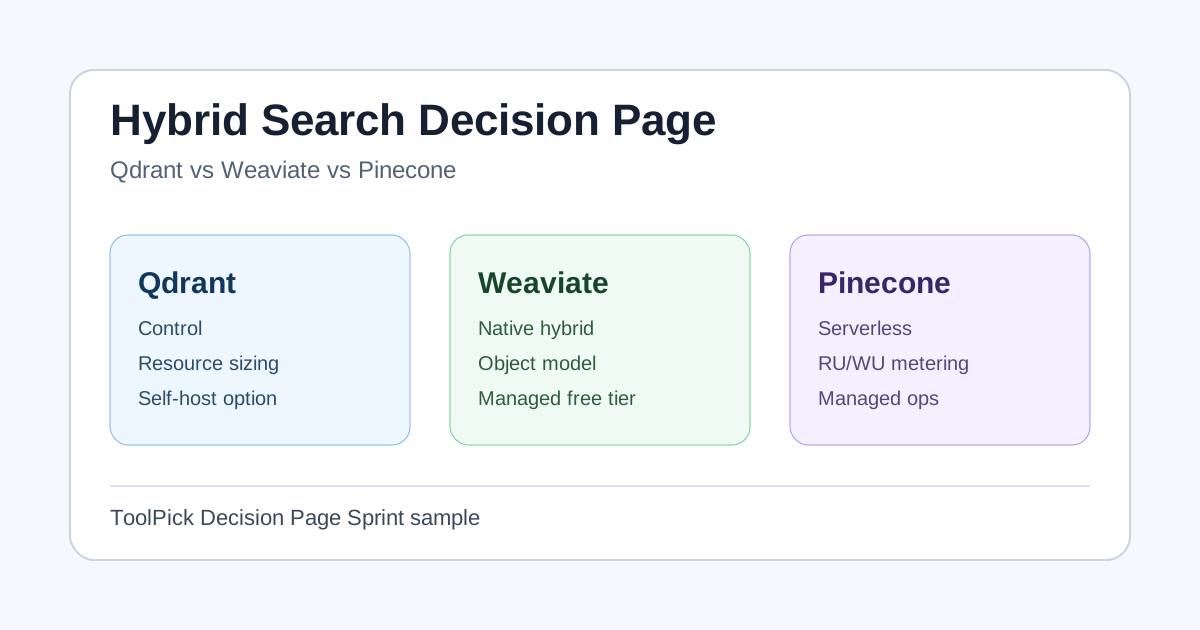
Qdrant vs Weaviate vs Pinecone for Hybrid Search in 2026
A decision page for teams choosing Qdrant, Weaviate, or Pinecone for hybrid search, RAG retrieval, and vector database cost control in 2026.
Clerk vs Auth0 vs NextAuth 2026
Clerk vs Auth0 vs NextAuth 2026 compared for shortlisted SaaS tools: pricing fit, workflow trade-offs, setup risk, and when to choose each option.
Astro vs Next.js 2026
Astro vs Next.js 2026 compared for readers choosing between shortlisted SaaS tools: pricing fit, workflow trade-offs, setup risk, and when to choose an alternative.