Mailchimp vs Kit 2026 (ConvertKit): Pricing, Creator Fit & E-commerce
Mailchimp vs Kit 2026 compared for shortlisted email tools: official pricing checks, creator workflow fit, e-commerce automation, setup risk, and when to choose each option.
Buyer De-Risk Kit
Need to choose before the renewal or purchase?
Get one concise USD 19 buyer-side risk check for up to three tools: fit, cost, workflow, switching risk, and the next step.
Decision Brief
What to do with this research
Choose Mailchimp when the buyer needs e-commerce campaigns, visual email design, SMS or multi-channel marketing, and familiar small-business tooling. Choose Kit (formerly ConvertKit) when the buyer is a creator, newsletter operator, coach, course seller, or media founder who wants simple subscriber-first automation, landing pages, commerce, and creator growth features.
Head-to-Head Comparisons changes
Get a practical ToolPick alert when pricing, free-plan limits, policy risk, or alternatives change.
Weekly at most · one-click unsubscribe
Choose Mailchimp when the buyer needs e-commerce campaigns, visual email design, SMS or multi-channel marketing, and familiar small-business tooling. Choose Kit (formerly ConvertKit) when the buyer is a creator, newsletter operator, coach, course seller, or media founder who wants simple subscriber-first automation, landing pages, commerce, and creator growth features.
- Mailchimp: best for e-commerce, visual campaigns, templates, and broader marketing workflows
- Kit: best for creators, newsletters, simple automation, products, and subscriber growth
- Mailchimp pricing must be checked by contact tier, send limits, trial terms, and overages
- Kit pricing must be checked by subscriber count, Newsletter/Creator/Pro plan, and automation needs
Keep reading for the full analysis.
Where this decision goes next
Skip the scroll: the pages most readers open after this one.
Notion vs ClickUp 2026: Which Project Management Tool Wins?Read the next related article.Mailchimp and Kit (formerly ConvertKit) solve the same broad problem, email marketing, but they serve different buyers. Mailchimp targets small businesses and e-commerce teams that want visual campaigns, templates, automations, audience tools, and adjacent marketing channels. Kit targets creators and newsletter-led businesses that want subscriber-first workflows, landing pages, products, recommendations, and simpler automations.
Official check on 2026-05-29: Mailchimp's pricing page shows Free, Essentials, Standard, Premium, contact tiers, free-trial terms, send limits, and overage behavior. Kit's pricing page shows Newsletter, Creator, Pro, a 14-day free trial, subscriber-based pricing, and creator-specific growth/commerce features. That means this comparison should be read as a workflow and pricing-model decision, not a generic email tool ranking.
Mailchimp vs Kit: Quick Verdict
| Category | Winner | Why |
|---|---|---|
| Creator newsletter workflow | Kit | Subscriber-first automation, landing pages, products, and creator growth features |
| E-commerce campaigns | Mailchimp | Stronger fit for product campaigns, visual templates, and multi-channel marketing |
| Visual email design | Mailchimp | Better default for branded promotional campaigns |
| Simple creator automation | Kit | Cleaner path for sequences, forms, landing pages, and audience tagging |
| Pricing predictability | Depends | Mailchimp is contact/send-limit based; Kit is subscriber/plan based |
| Multi-channel marketing | Mailchimp | Broader small-business marketing suite |
Bottom line: Choose Kit if you are a creator, blogger, coach, course seller, paid newsletter operator, or media founder. Choose Mailchimp if you run e-commerce campaigns, need visual promotional emails, or want email to sit inside a broader marketing suite.
Pricing Comparison: What To Check Before Buying
Do not copy old price tables into a 2026 purchase decision. Both products change price by tier and billing model, and Mailchimp's contact/send-limit model is not the same as Kit's creator/subscriber model.
| Pricing question | Mailchimp check | Kit check |
|---|---|---|
| Free entry | Free plan contact limit, send limit, and feature restrictions | Newsletter plan subscriber limit and automation limits |
| Paid starter | Essentials/Standard by contact tier and billing term | Creator by subscriber count and billing term |
| Automation | Customer Journey and plan limits | Visual Automations, sequences, and plan limits |
| Scale risk | Overages, contacts across audiences, SMS/add-ons, and send volume | Subscriber count, plan upgrade, Pro needs, and yearly/monthly billing |
| Migration | Templates, audiences, segments, tags, forms, and journeys | Tags, sequences, forms, products, and landing pages |
The practical pricing rule is simple: Mailchimp can be cheaper or better when your business needs visual campaigns and e-commerce marketing. Kit can be cheaper or better when your list is creator-led and you do not need Mailchimp's broader marketing suite. Verify both official pricing pages before publishing or renewing a recommendation.
Automation: Kit's Clear Win
Kit's visual automation builder is strongest when the workflow is creator-led: welcome sequences, lead magnets, course launches, paid newsletter funnels, product sales, and subscriber tagging.
Mailchimp's Customer Journey builder is strongest when email sits inside a broader small-business or e-commerce marketing operation. It is not weaker by default; it is built for a different buyer.
Email Design: Mailchimp's Territory
Mailchimp's drag-and-drop email builder is the best in the industry. 100+ professionally designed templates, dynamic content blocks, and a creative assistant that suggests designs based on your brand.
Kit takes a simpler, creator-first approach. That can be better for newsletters and relationship-driven launches, but it is less ideal for e-commerce stores sending polished product showcases.
Deliverability Reality Check
Do not choose either platform from generic deliverability tables. Inbox placement depends on your domain authentication, list source, complaint rate, bounced addresses, cadence, and content.
| Deliverability factor | What to check |
|---|---|
| Authentication | SPF, DKIM, DMARC, and verified sending domain |
| List quality | Permission source, cold subscribers, bounces, and complaints |
| Sending behavior | Frequency, segmentation, and inactive subscriber cleanup |
| Campaign type | Creator newsletter, product promotion, transactional-adjacent updates, or launches |
Treat platform choice as one part of deliverability, not the whole system.
Who Should Choose What?
Choose Kit if:
- You're a blogger, podcaster, YouTuber, or course creator
- Email is your primary marketing channel
- You want powerful automation without complexity
- You want landing pages, products, recommendations, and newsletter growth in one creator workflow
- You prefer subscriber-first operations over broader marketing-suite complexity
Choose Mailchimp if:
- You run an e-commerce store (Shopify, WooCommerce)
- You need landing pages, social ads, and CRM alongside email
- Email design and visual appeal matter more than simplicity
- You want a recognizable brand with extensive documentation
Creator Economy Scenarios: Which Tool Wins?
Scenario 1: The Solo Blogger (5,000 subscribers)
The task: Publish a weekly newsletter, grow the list through a lead magnet, and sell a digital course.
With Kit: Create a landing page for the lead magnet. Set up a welcome sequence that delivers the freebie and funnels readers toward the course. Use subscriber tags to segment "interested in course" vs. "newsletter only." When launching the course, use conditional content to show different CTAs to each segment. Verify current Creator pricing for the subscriber count before committing.
With Mailchimp: Use a landing page for the lead magnet if the selected plan supports it. Set up a welcome automation via Customer Journeys. Segment using groups and tags. Design a visually rich launch email with the drag-and-drop editor. Verify current contact-tier and send-limit pricing before committing.
Winner: Kit. The tagging and automation model is usually more intuitive for creator workflows. Price still needs a same-day official check.
Scenario 2: The E-Commerce Store (10,000 contacts)
The task: Send product announcements, run seasonal promotions, recover abandoned carts.
Winner: Mailchimp. Mailchimp is the stronger default for visual promotions, product campaigns, abandoned-cart style workflows, and broader e-commerce marketing.
Scenario 3: The Podcast Network (25,000 subscribers)
The task: Three podcasters sharing one account, each with their own segment, cross-promoting each other's shows.
Winner: Kit. The visual automation builder handles multi-path subscriber journeys cleanly. Tag subscribers by show, use conditional sequences for cross-promotion, and track which shows drive the most engagement.
Migration Guide: Switching Between Them
From Mailchimp to Kit
Timeline: 3-5 days for lists under 10,000.
Step-by-step:
- Export subscribers from Mailchimp as CSV (include custom fields)
- Import into Kit, mapping fields to tags
- Recreate your top 3 automations
- Set up landing pages and forms to replace Mailchimp ones
- Update DNS records (DKIM/SPF) for Kit's sending domain
- Run both platforms in parallel for 1 week, then cut over
What you'll lose: Email templates need to be recreated, social media ad integration may change, and audience insights may not map directly. What you gain is a cleaner creator workflow and subscriber-first operating model.
From Kit to Mailchimp
Timeline: 5-7 days (longer due to template recreation).
Key consideration: Kit's tag-heavy approach may not map cleanly to Mailchimp's audience/group structure. Plan your Mailchimp audience architecture before importing. Most creators use one audience with groups matching their previous tags.
Pricing at Scale: Build Your Own Official Model
Use this model instead of stale screenshots:
| Input | Mailchimp | Kit |
|---|---|---|
| Audience size | Contact tier and active contacts | Subscriber count |
| Email volume | Send limits and overage rules | Plan and subscriber tier |
| Automation depth | Customer Journey requirements | Visual Automations and sequences |
| Commerce | E-commerce integrations, product campaigns, SMS/add-ons | Digital products, paid newsletter, creator commerce |
| Collaboration | Seats, roles, and audience governance | Creator team needs and plan limits |
Key insight: The cheaper platform at 1,000 subscribers can become the more expensive platform at 10,000, but the reverse can also happen if the campaign mix changes. Price the exact list size, send volume, automation depth, commerce workflow, and billing term on the official pages before deciding.
Deliverability Comparison
Both platforms can support high-quality sending, but the platform does not replace list hygiene:
| Question | Why it matters |
|---|---|
| Is the sending domain authenticated? | Missing SPF/DKIM/DMARC hurts both platforms. |
| Is the list permission-based? | Purchased or cold lists damage reputation quickly. |
| Are inactive subscribers cleaned up? | Engagement affects future inboxing. |
| Are campaign types separated? | Product promotions and creator newsletters behave differently. |
Choose the platform that makes good sending behavior easier for your team.
Alternatives to Both
-
Beehiiv — The newsletter-native platform. If you're building a media business, Beehiiv's referral program, premium subscriptions, and ad network are purpose-built for newsletter monetization. Free up to 2,500 subscribers.
-
Substack — If you want to monetize through paid subscriptions with zero setup. Substack takes 10% of paid subscriber revenue but handles everything (hosting, payments, discovery). Best for writers who don't want to think about tech.
-
MailerLite — The budget alternative. Verify the current free and paid limits if the main decision is cost rather than creator workflow.
-
ActiveCampaign — If your automation needs are complex (branching logic, lead scoring, CRM integration). Not creator-focused but the most powerful automation builder available.
-
Brevo — Best for transactional + marketing email combo. Pay by email volume, not subscriber count. Ideal for SaaS businesses that send both feature updates and marketing campaigns.
The Bottom Line
Both are excellent email marketing tools, but they serve different buyers. Kit is built for creators who sell through content, newsletters, and audience relationships. Mailchimp is built for businesses that need visual campaigns, e-commerce marketing, and broader promotional workflows. Pick the one that matches the operating model, then verify the same-day official price before committing.
Read our full Mailchimp review or explore the complete best email marketing guide.
Official Links
Verify these vendor pages before changing pricing assumptions, implementation scope, or renewal timing:
Frequently Asked Questions
Is Kit better than Mailchimp for bloggers?
Usually yes. Kit was built specifically for creators and bloggers. Its visual automation builder, subscriber management, landing pages, and commerce tools are tailored for content-driven businesses. Mailchimp is better for e-commerce and multi-channel marketing.
Which has better deliverability?
Deliverability changes by list quality, authentication, sending behavior, and audience engagement. Treat vendor deliverability claims as secondary to SPF/DKIM/DMARC setup, list hygiene, permission quality, and campaign history.
Can I migrate from Mailchimp to ConvertKit?
Yes. Export contacts, tags, segments, signup forms, automations, templates, landing pages, and suppression lists before migrating. Rebuild core automations and authenticate the sending domain before switching live campaigns.
Which is cheaper for 10,000 subscribers?
Do not use stale screenshots for this decision. Mailchimp pricing changes by contact tier, plan, send limits, billing term, and overage behavior. Kit pricing changes by subscriber count, plan, and yearly/monthly billing. Check both official pricing pages on the day you buy.
Send it to a teammate or save it for the next renewal check.
📬 Get the Weekly SaaS Digest
New tool reviews, pricing-change alerts, and stack cost tips — one email a week, one-click unsubscribe. No spam, no fake urgency.
Turn this article into a decision path
Every ToolPick article should lead to a second useful page: another article, a hub, or a calculator action.
Notion vs ClickUp 2026: Which Project Management Tool Wins?Read the next related article.Related Articles
Notion vs ClickUp 2026: Which Project Management Tool Wins?
Notion vs ClickUp 2026 compared for shortlisted SaaS tools: pricing fit, workflow trade-offs, setup risk, and when to choose each option.
 Decision Guides
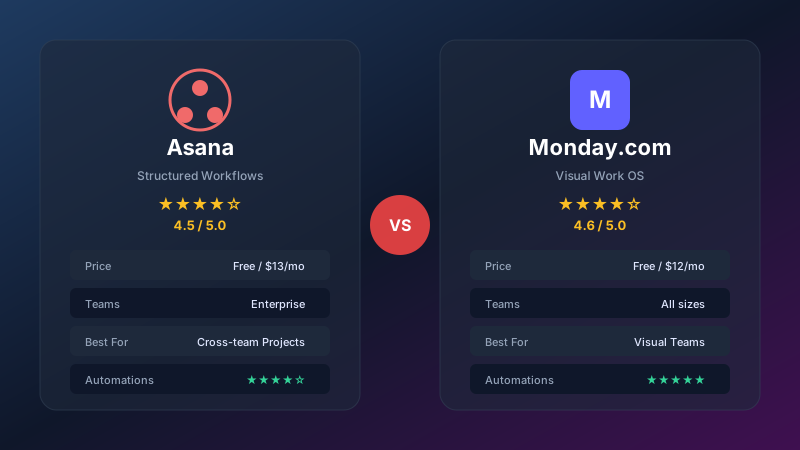
Asana vs Monday.com 2026: Which Project Management Tool Is Right for You?
We compare Asana and Monday.com head-to-head on pricing, features, ease of use, automations, and integrations. Find out which PM tool fits your team best.
 Decision Guides
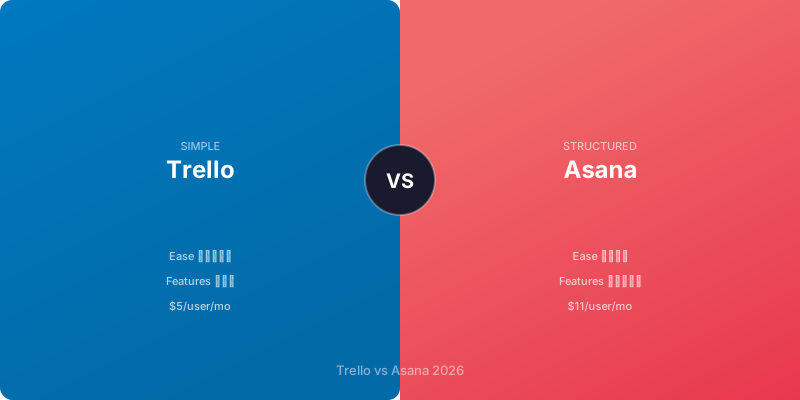
Trello vs Asana 2026: Which Project Management Tool Fits Your Team?
Trello vs Asana 2026 compared for shortlisted SaaS tools: pricing fit, workflow trade-offs, setup risk, and when to choose each option.