Merge PDF
Combine PDFs into one document, in the order you choose.
- 1Choose
- 2Adjust
- 3Download
Choose your PDFs
Drop files here, or choose from your device.
PDF · up to 200 pages total
Up to 20 files · 40 MB total
Processed on this device. No file upload.
How to use Merge PDF
- Choose two or more PDF files.
- Move files up or down to set the document order.
- Create and download the combined PDF.
Page sizes and rotations are kept. Document-level bookmarks, forms and signatures are not guaranteed to survive editing.
What stays private, and what are the limits?
Files are processed in this browser and never uploaded by the tool. Inputs and downloads stay in page memory until you clear or leave the page. Your original files are never overwritten. Optional page measurement follows your analytics choice and excludes filenames and file contents.
Up to 20 input files and 40 MB total; 200 PDF pages; 24 megapixels per source image. PDF image exports are limited to 16 megapixels per page and 100 megapixels per job. Password-protected PDFs and animated images are not supported. For unsupported files, choose an unlocked PDF or a still JPG, PNG or WebP image.
Editing may affect document-level forms, bookmarks and signatures. Keep the original and check the downloaded copy before submitting or printing it.
What will the merged PDF look like?
Every page of the first listed file comes before every page of the next. Place A before B to get A → B. Each page keeps its size and orientation.
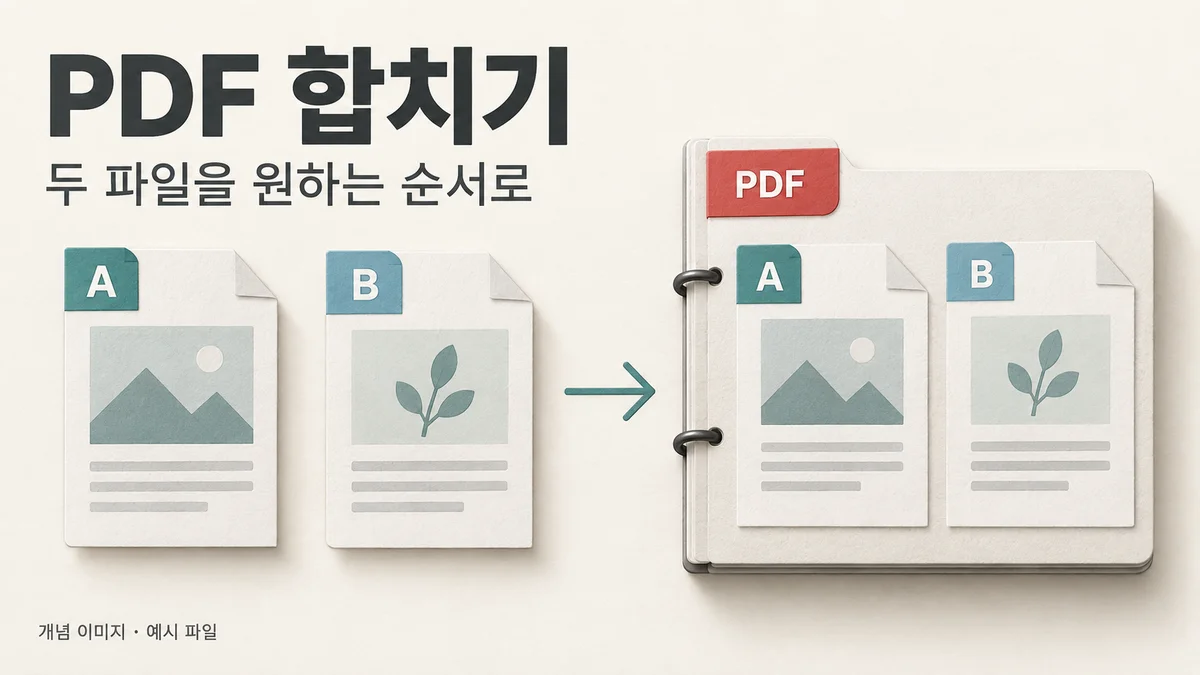
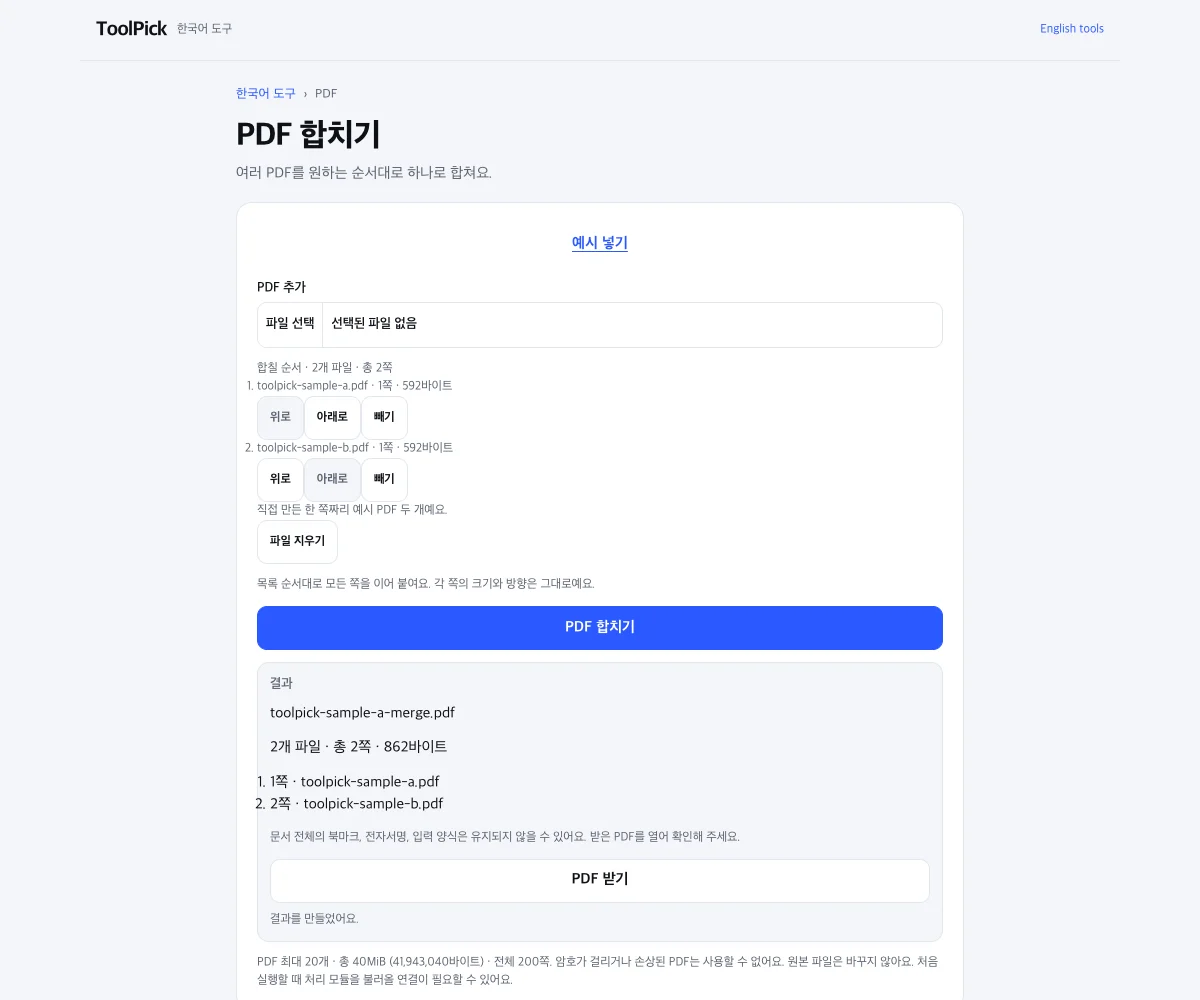
- Select at least two PDFs and use the up/down controls to set their order.
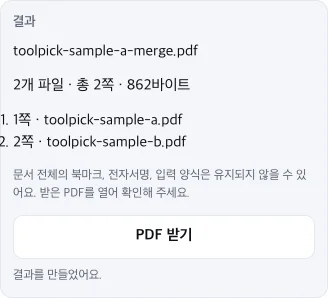
- Merge the PDFs and wait for “Ready to download.”
- Download and open the PDF to check its page count, contents and order before using it. Keep the originals.
Important: document-level bookmarks, forms and signatures may not survive editing. The captures below use two ToolPick-made, one-page sample PDFs; they do not prove customer outcomes or preservation of complex documents.
See the actual sample result captures (desktop and mobile)
Another file task?
Bookmark this page for next time, or copy its link. Shared links contain no files or working input.
Link to this tool: https://www.toolpick.dev/free-tools/pdf-merge